See It in Action
Beautiful screenshots showcasing your app's best features.
Why Choose Us
The key reasons users love our product.
Quick Access
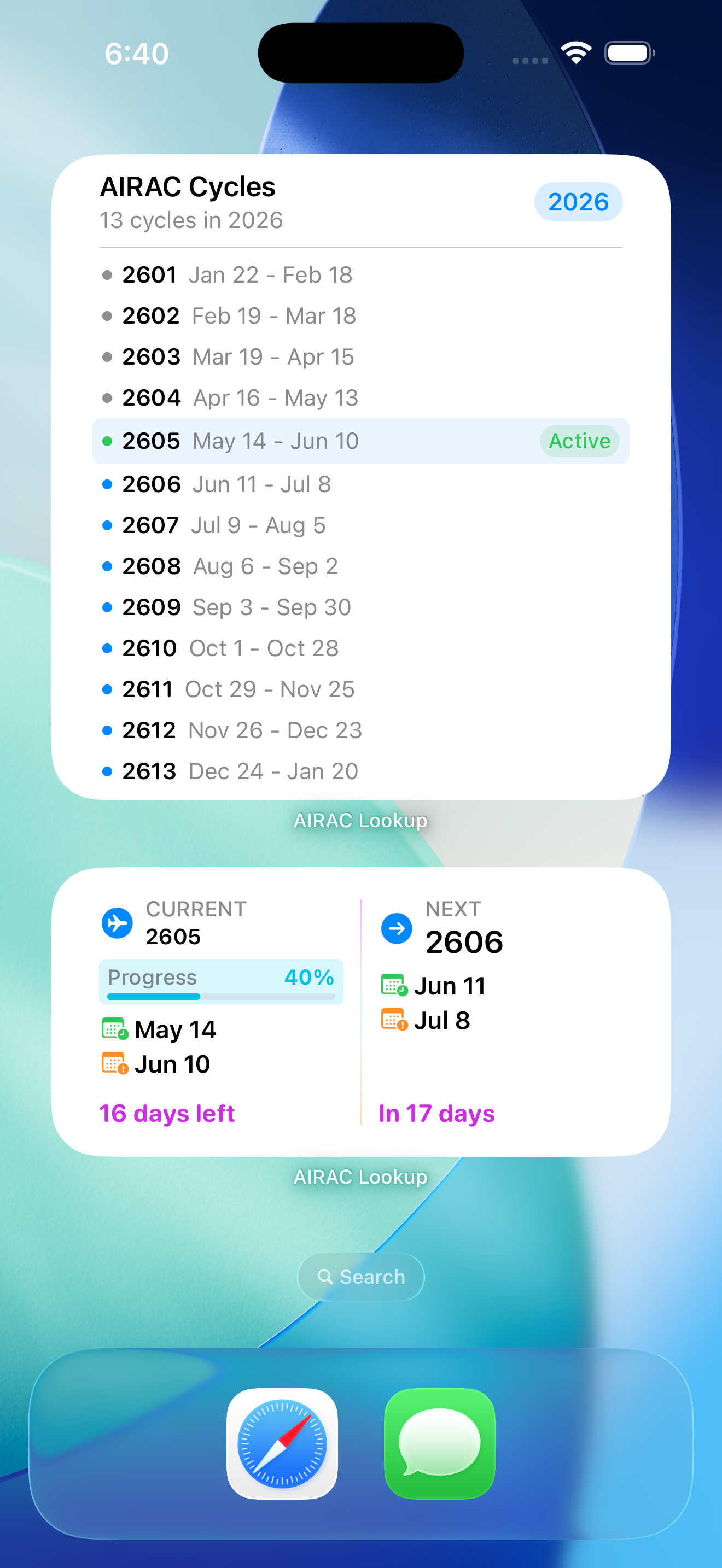
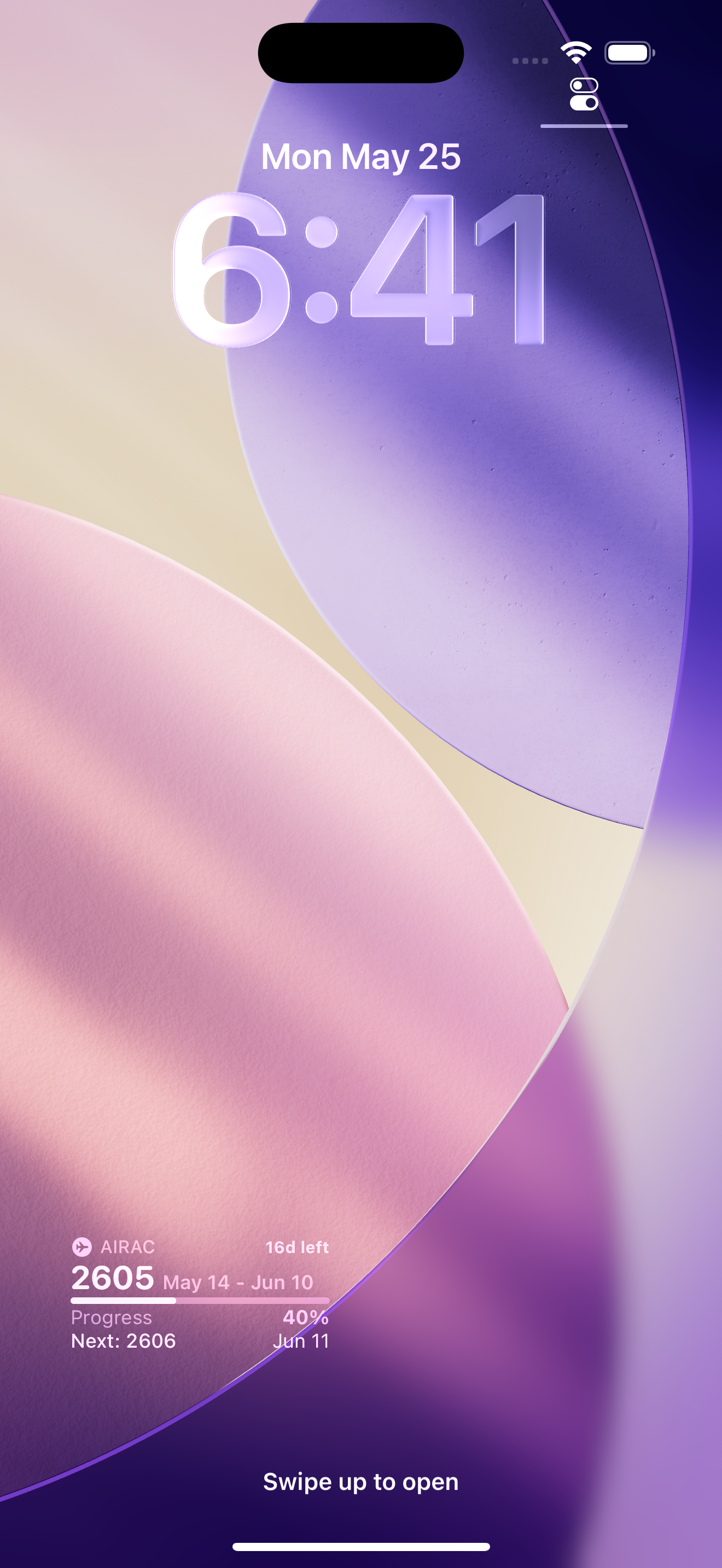
See current and upcoming cycle dates, codes, and progress on your iPhone, iPad, and Apple Watch with widgets and lock screen integrations.
Comprehensive View
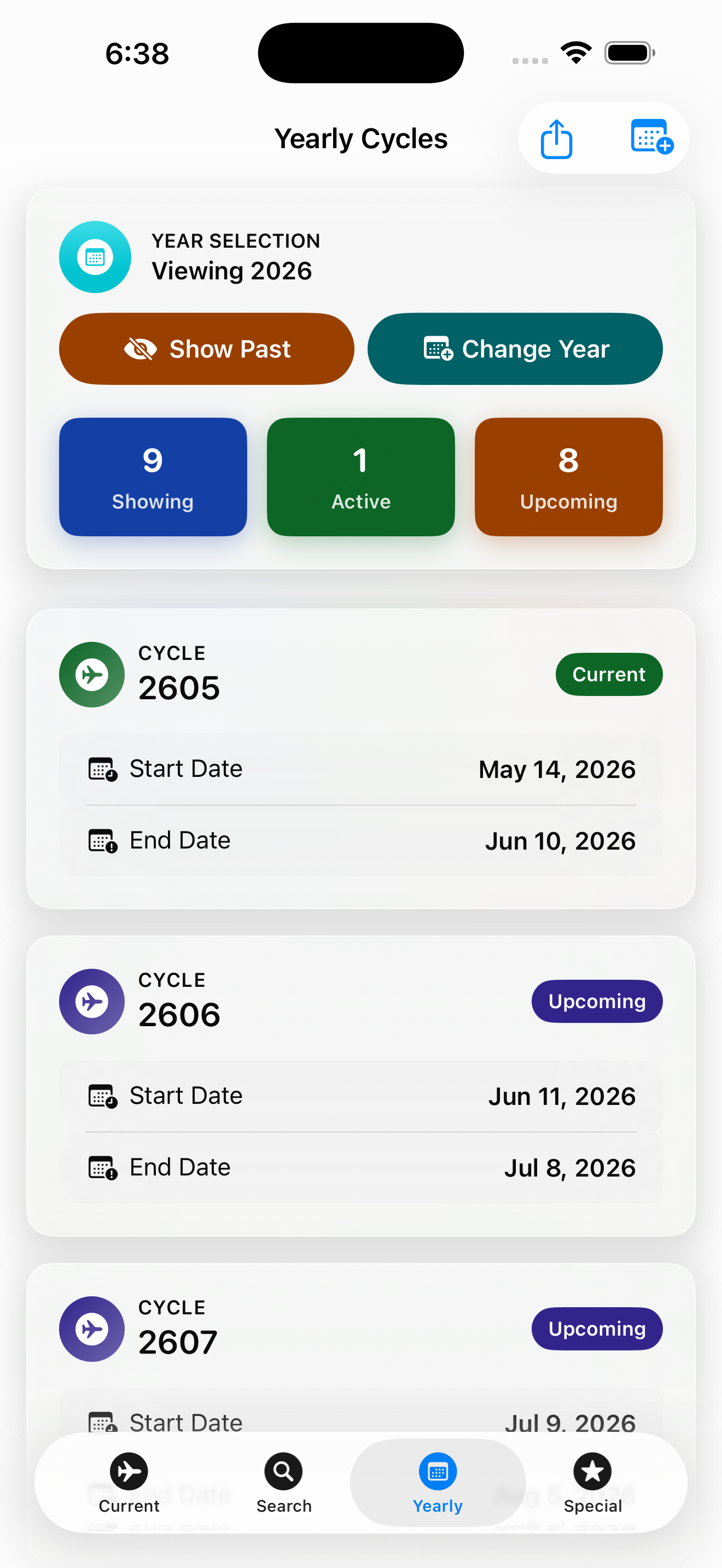
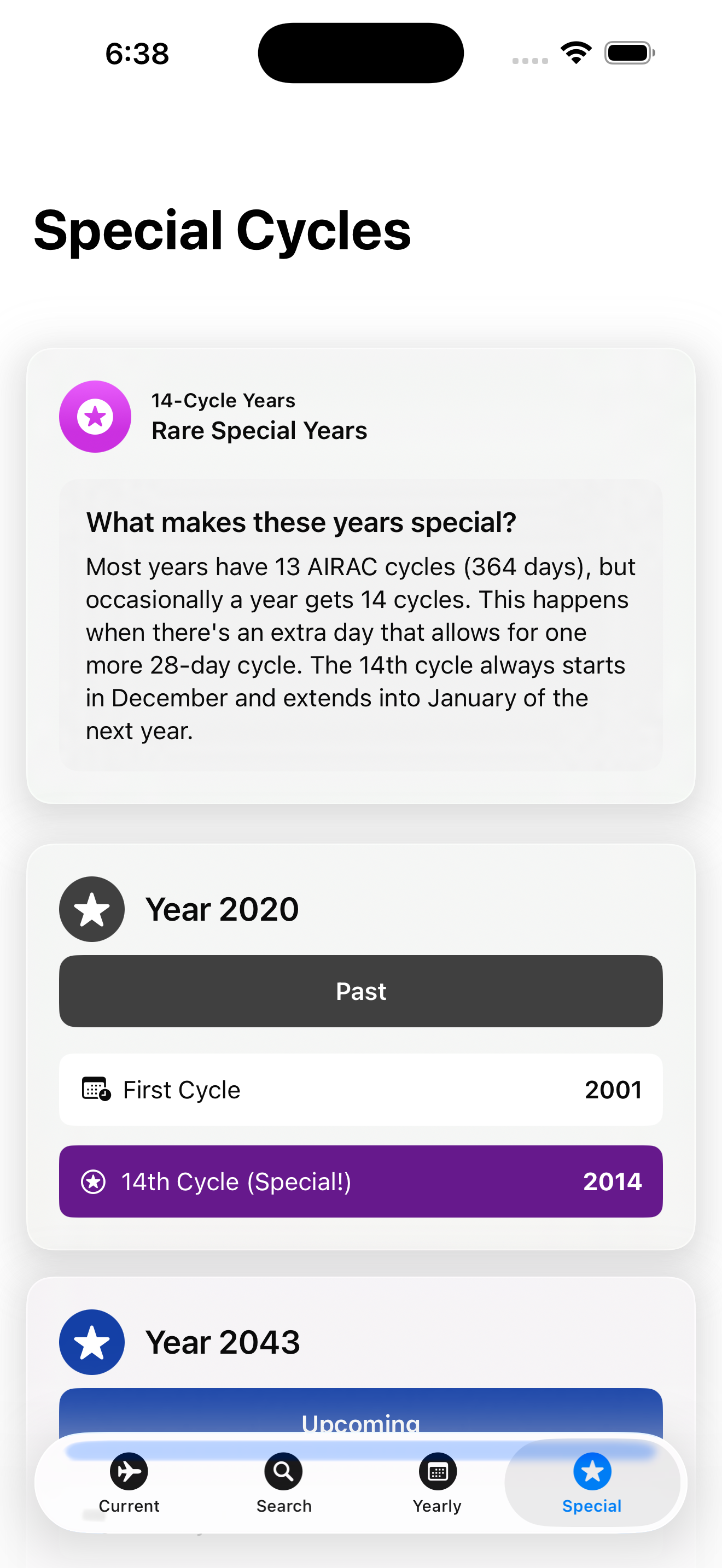
Browse every cycle in a year at once, search by cycle code, and use the yearly view to plan ahead.
Offline and Adaptive
No account required, works entirely offline, and supports VoiceOver, Dynamic Type, and Reduce Motion for accessibility.
Powerful Features
Everything you need to get things done.
Quick Access
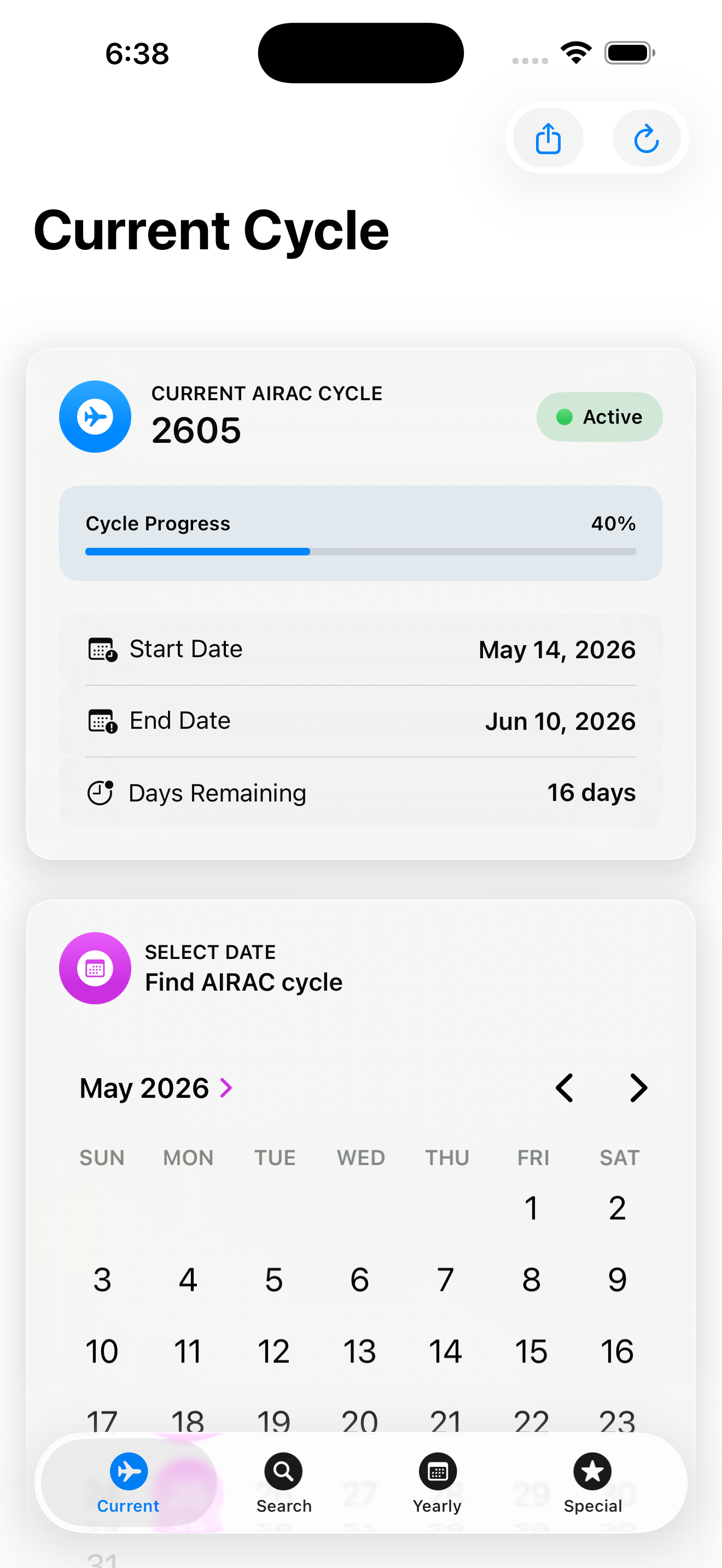
See your current AIRAC cycle and progress without opening the app.
Offline Use
No account needed and everything stays on your device.
Yearly View
Browse every cycle in a year for better planning.
Search by Code
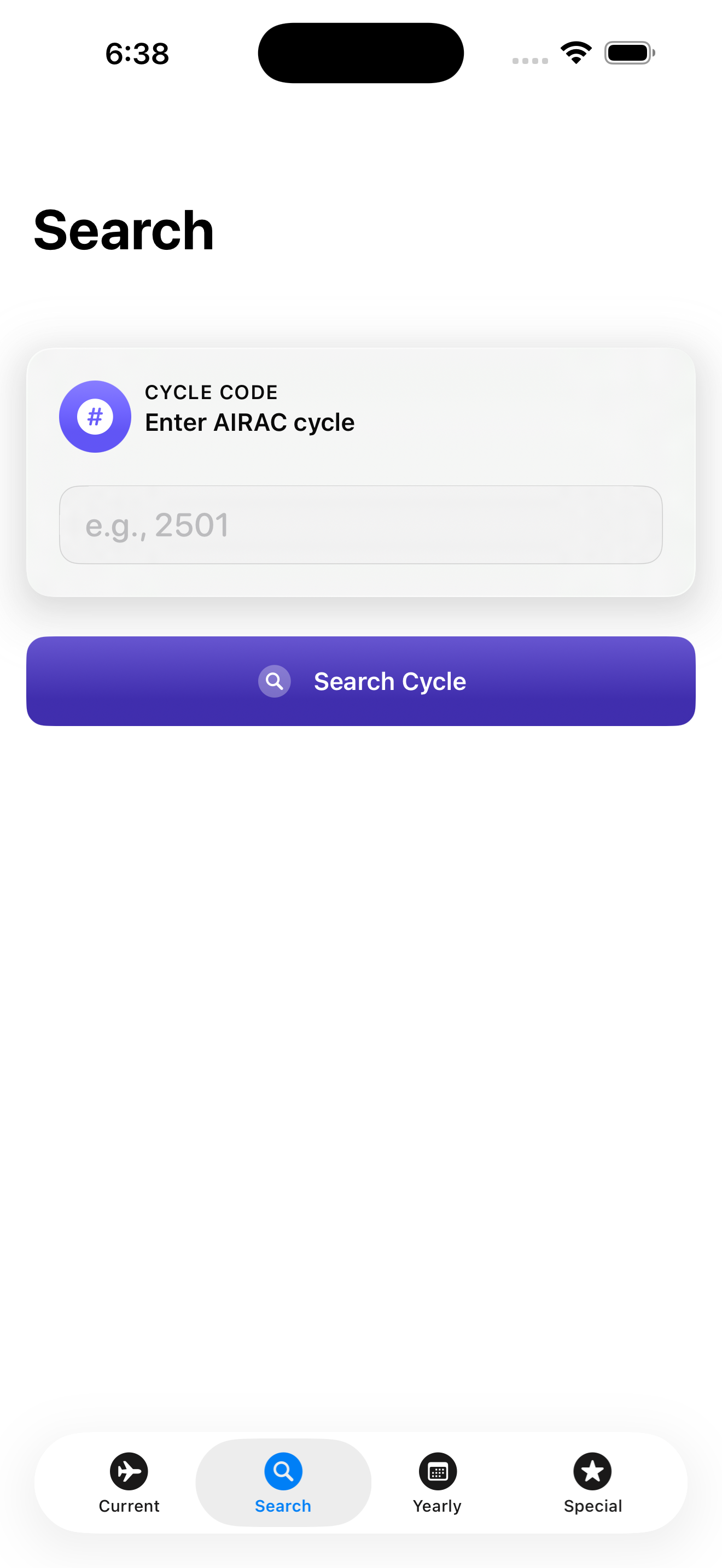
Enter a four-digit code to instantly find the cycle.
Widget Integration
Add a widget to your Home Screen or Lock Screen for easy access.
Apple Watch App
Get full access to the app on your Apple Watch.
What Users Say
Read reviews posted on the App Store.
This app makes it easy to monitor and look up AIRAC cycles and has become a standard tool we use at work. I no longer have to search for AIRAC dates and then try to figure out what cycle a date falls under. I just select the date and it tells me the cycle. I appreciate there are no adds and I didn’t have to setup a login. Also, the UI is nicely color coded and easy to navigate. Definitely, designed to be a helpful tool and just work.
Frequently Asked Questions
Find answers to common questions.
Open the app and tap on the current cycle icon. You'll see the active cycle number, start and end dates, a live progress bar, and days remaining.
Yes, enter a four-digit code (e.g. 2501) and instantly see the matching cycle with its effective dates.
Tap on the yearly view icon in the app. You can filter out past cycles or switch years to plan ahead.
No, the app works entirely offline and does not require an account.
Yes, add a widget to your Home Screen or Lock Screen. You can choose from six widget styles: small, medium, large, circular, rectangular, and inline.
AIRAC Lookup – Cycle Reference
Know your AIRAC cycle at a glance!